

Carousel
The Carousel cycles through slides with touch / swipe support. Use variant="default" for image + copy cards, form for custom slide bodies (and an optional footer strip in the form layout), and auth for full-bleed marketing slides on authentication-style layouts.
Loading Code Block...React: Pass items, carouselItems, and slots as arrays. For variant="form", each carouselItems[].slot is a React.ReactNode (any renderable subtree, including pre-instantiated JSX literals like <MySlide />). For variant="auth", slots is an array of React.ReactNode (one per slide).
Standalone subcomponents are also exported: import { AuthCarousel, FormCarousel } from "@hubtel/react-ui/carousel".
Vue: Bind arrays with :items, :carousel-items, :slots (kebab-case in templates is fine). For variant="form", each carouselItems[].slot should be a component definition (e.g. from defineComponent) so <component :is="…" /> can render it. For variant="auth", slots is an array of slide components — pre-rendered VNodes won’t render through <component :is>.
Standalone subcomponents are also exported: import { AuthCarousel, FormCarousel } from "@hubtel/vue-ui/carousel".
Default variant
Section titled “Default variant”Slides are driven by items: each entry includes backgroundImage, chipText, optional chipColor / chipTheme, title, subtext, and optional link.
When height is omitted, both packages call extractHeightClasses to pick a responsive default. The defaults currently differ between frameworks:
- React:
h-[579px]desktop,h-[374px]mobile. - Vue:
h-[400px] lg:h-[500px]desktop,h-[300px]mobile.
Pass an explicit height like "h-[420px] md:h-[520px]" if you need cross-framework parity.
Vue caveat: The default-variant wrapper still renders the prev/next arrow row when items is empty or undefined. React early-returns null in that case. Guard <Carousel> with your own v-if if you may have an empty list.
Akwantuo Express Simplifies Student Travel Experience with Hubtel's Direct Debit API
Simon Poole & Marjorie Saint-Lot Join Hubtel's Management Advisory Council
How Rabito Clinic is Enhancing Payment Experience with Hubtel All-in-One POS
Akwantuo Express Simplifies Student Travel Experience with Hubtel's Direct Debit API
Simon Poole & Marjorie Saint-Lot Join Hubtel's Management Advisory Council
How Rabito Clinic is Enhancing Payment Experience with Hubtel All-in-One POS
Loading Code Block...Auto slide
Section titled “Auto slide”autoSlide defaults to true. Set autoSlide={false} (React) or :autoSlide="false" (Vue) to pause automatic advancement. Tune the delay with autoSlideInterval (milliseconds, default 5000).
Akwantuo Express Simplifies Student Travel Experience with Hubtel's Direct Debit API
Simon Poole & Marjorie Saint-Lot Join Hubtel's Management Advisory Council
How Rabito Clinic is Enhancing Payment Experience with Hubtel All-in-One POS
Akwantuo Express Simplifies Student Travel Experience with Hubtel's Direct Debit API
Simon Poole & Marjorie Saint-Lot Join Hubtel's Management Advisory Council
How Rabito Clinic is Enhancing Payment Experience with Hubtel All-in-One POS
Loading Code Block...Form variant
Section titled “Form variant”Pass carouselItems: an array of objects with slot and optional backgroundColor.
Each slot is a React node (any renderable subtree).
Each slot should be a component (for example from defineComponent) so the carousel can render it with Vue’s dynamic component resolver.
width defaults to 459px in the form layout; className adds classes on the outer wrapper. The footer strip beneath the slides (copyright + social links) is toggled with showFooter (default true) — set it to false to hide it. The form variant is desktop-only (hidden md:flex) in both frameworks.

Hubtel POS - Fast & Convenient Payments
Accept all major cards and mobile money services with ease. Scale your business with our cost-effective mobile POS solution.
USSD - Get Paid on Any Phone
Enable hassle-free payments with simple shortcodes no internet required. Fast, easy, and accessible to all your customers.
Bulk Payments - Simplified Payroll & Vendor Payments
Disburse payments to multiple mobile money or bank accounts instantly. Save time and enhance efficiency with secure bulk transactions.
Loading Code Block...Auth variant
Section titled “Auth variant”slots is an array of React nodes (one subtree per slide).
slots is an array of slide components (constructors), bound with v-bind or :slots on Carousel.
Use className for backdrop styling (e.g. bg-blue-900).
What's New?

How you access your activities on Hubtel has been improved with a refreshed new look!... Learn more
Big Update: Your Merchant Portal is Now Mobile-Friendly and Better Organized
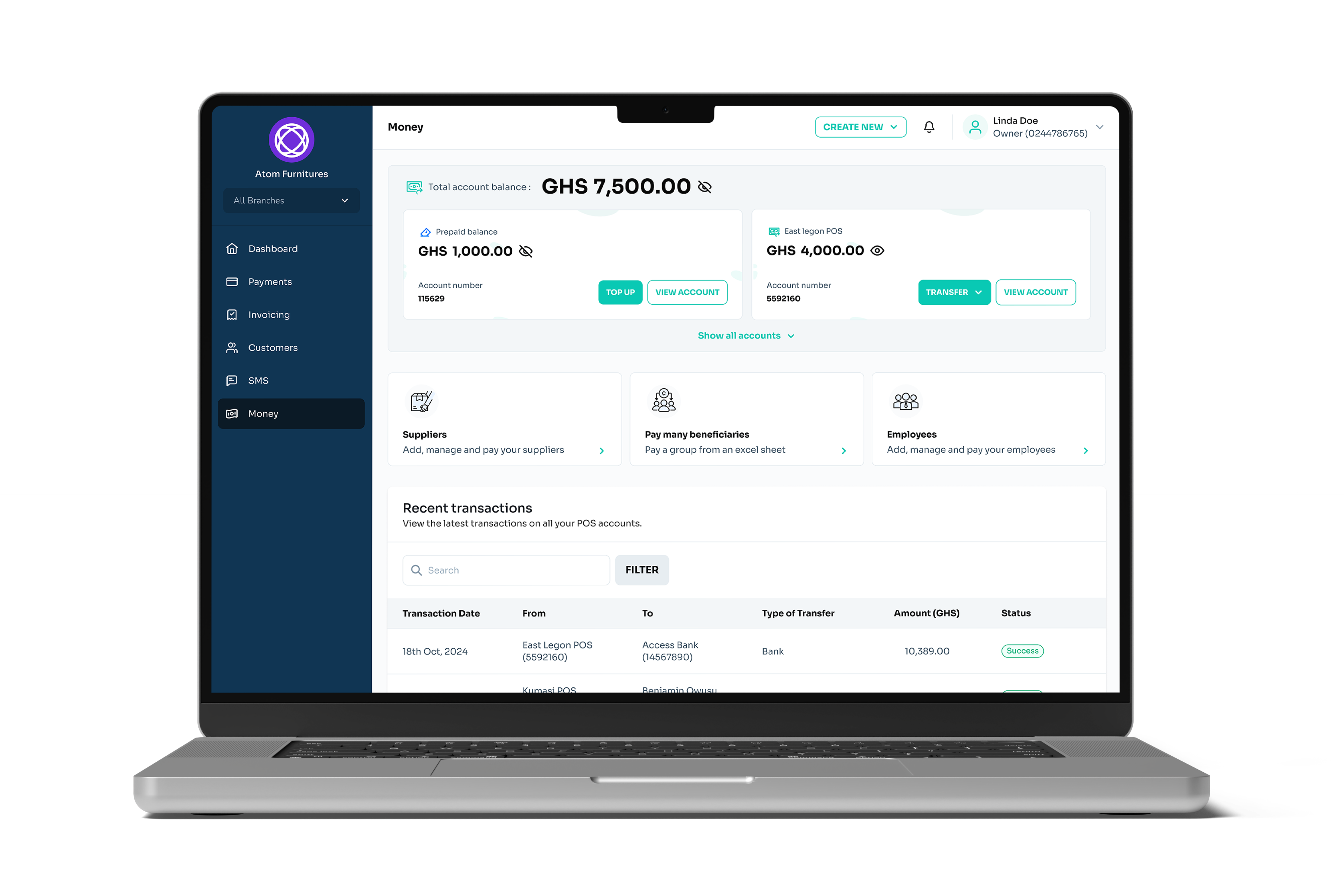
We've reorganised the side navigation menu to reduce clutter. You can now access all money functions from a single menu
Learn moreLoading Code Block...Full-page auth preview (iframe)
Section titled “Full-page auth preview (iframe)”This iframe shows a full-height auth carousel layout with auto-sliding enabled, as used on the design system site (e.g. alongside login templates).
Loading Code Block...Shared
Section titled “Shared”| Props | Default | Type | Description |
|---|---|---|---|
| variant | 'default' | 'default' | 'form' | 'auth' | Which carousel implementation to render. |
| className | - | string | Extra classes on the outer wrapper (both frameworks). |
| autoSlide | true | boolean | Advance slides automatically when applicable. |
| autoSlideInterval | 5000 | number | Delay between automatic slides (ms). |
| height | React: `h-[579px]` (desktop) / `h-[374px]` (mobile); Vue: `h-[400px] lg:h-[500px]` (desktop) / `h-[300px]` (mobile) | string | Responsive Tailwind height utilities for the default variant. Parsed by `extractHeightClasses`. Defaults differ by framework — pass an explicit value for parity. |
| width | '459px' (form variant) | string | Width of the form carousel container; also used where the form layout reads `width`. |
| items | [] | CarouselItem[] | Slides for `variant="default"` (see Default variant). |
| carouselItems | - | Array<{ slot, backgroundColor?: string }> | Slides for `variant="form"`. `slot` is a `React.ReactNode` in React and a component definition (consumed by `<component :is>`) in Vue. |
| showFooter | true | boolean | Toggles the copyright + socials footer beneath `variant="form"` slides. |
| slots | - | React: `React.ReactNode[]`; Vue: `unknown[]` (rendered via `<component :is>`) | Slides for `variant="auth"`. React accepts pre-rendered nodes; Vue expects component definitions (e.g. from `defineComponent`). |
CarouselItem (default variant)
Section titled “CarouselItem (default variant)”| Props | Default | Type | Description |
|---|---|---|---|
| backgroundImage | - | string | Background image URL. |
| chipText | - | string | Chip label. |
| chipColor | 'neutral' | 'neutral' | 'brand' | 'success' | 'warning' | 'info' | 'danger' | Semantic Chips colour for the category label. Preferred over `chipTheme`. |
| chipTheme | - | string | Escape-hatch Tailwind classes for the chip (e.g. `bg-red-600 text-white`). Use only when no semantic colour fits. |
| title | - | string | Headline. |
| subtext | - | string | Supporting line (date, read time, etc.). |
| link | - | string | Optional destination when the slide is clickable. |
Accessibility
Section titled “Accessibility”- Provide meaningful
alttext for images inside form/auth slides. - When auto-advance is on, ensure content is still readable within
autoSlideInterval; pause on hover is handled in the implementation—verify for your content length. - Use the iframe demos only as visual references; embed the component directly in apps for full keyboard and screen-reader control.